| English | Japanese |
|
|
Yesterdays access |
| Page Top | [Lily Diary.】 A diary of life in Mindanao. |
| 26/06/16 | Installing an AS5600 magnetic encoder on a KR-500. |
| 26/06/05 | Grandson Zion's CQ |
| 26/06/04 | Replacing the potentiometer on the KR-500 elevation rotator |
| 26/06/03 | Making a Repeater Controller Pert4 |
| 26/06/01 | Weather Monitor software |
| 26/05/31 | Weather Monitor |
| 26/05/21 | JTDX Auto Run BUGFIX |
| 26/05/17 | Repair of satellite antenna system |
| 26/05/13 | Repair of Alinco DR130 |
| 26/05/07 | Making a Repeater Controller Pert3 |
| 26/05/03 | Indonesian satellite friend YC8RPK |
| 26/04/26 | DXCC200 achieved |
| 26/04/23 | Communication via ISS voice repeater |
| 26/04/20 | WSJT-X Auto Run Ver0.1.5 |
| 26/04/19 | Got an Alinco DR-130 |
| 26/04/15 | Clublog Charts |
| 26/04/10 | Regarding POC transceivers |
| 26/04/08 | Using KENWOOD AT-300 with YAESU radio |
| 26/03/17 | How to establish a radio club in the Philippines |
| 26/03/10 | KENWOOD AT-300 with YAESU radio |
| 26/02/27 | Philippine NTC Amateur Radio License Examination Question Bank |
| 26/02/20 | Package received from JK1SNS |
| 26/02/18 | Temporary License Renewal |
| 26/02/14 | Satellite Tracking Software SatTrack |
| 26/02/05 | Making a Repeater Controller Pert2 |
| 26/02/02 | CQ on satellite IO-86 |
| 26/01/27 | Shack & Repeater Controller |
| 26/01/16 | Making a Repeater Controller |
| 26/01/16 | Making aRotator Interface PCB |
| 26/01/10 | Satellite antenna installation |
| 26/01/08 | WSJT-X Remote Operation |
| 26/01/07 | JTDX Remote Operation |
| 26/01/04 | log_reciver_Ver2.6.6 |
| 26/01/04 | Tailscale VPN software for JTDX_Remote |
| Online Multiple Choice Reviewers to the Phil Amateur Radio Examination by 4F3EW A joint project by JI1FGX/DU9 and DV9JRD |
| Clublog Charts (2026/04/15) | ||||||||||||||||||||||||||||||||||||||||||
|---|---|---|---|---|---|---|---|---|---|---|---|---|---|---|---|---|---|---|---|---|---|---|---|---|---|---|---|---|---|---|---|---|---|---|---|---|---|---|---|---|---|---|
| Clublog.So, it has a function to synchronize with LoTW and display the Worked and Confirmed status, right? I didn't know that. Toru Kato(JG1RVN) on Facebook.I learned it from Even when I display it in DXCC Charts, allWorked.It remained in that state. 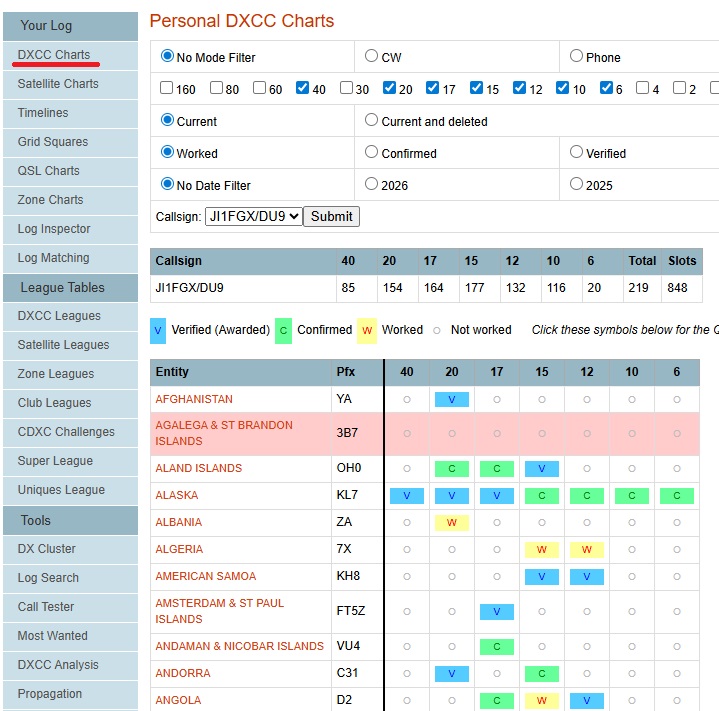 |
||||||||||||||||||||||||||||||||||||||||||
| First, use TrustedQSL.*.p12.We will make it. Select your callsign from the callsign certificate and choose 'Save the callsign certificate for the following callsign.'. 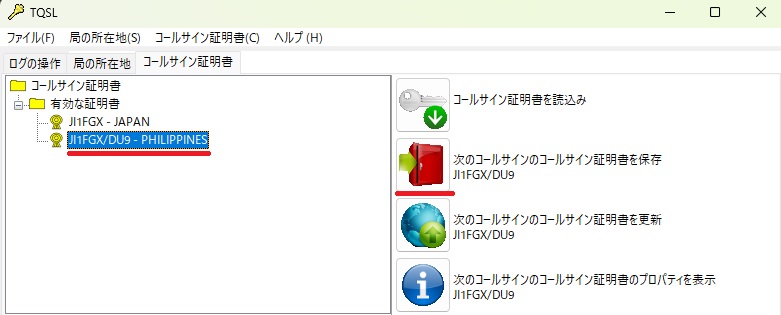 |
||||||||||||||||||||||||||||||||||||||||||
In my case, the file will be named 'JI1FGX_DU9.p12', so I'll save it in a suitable location.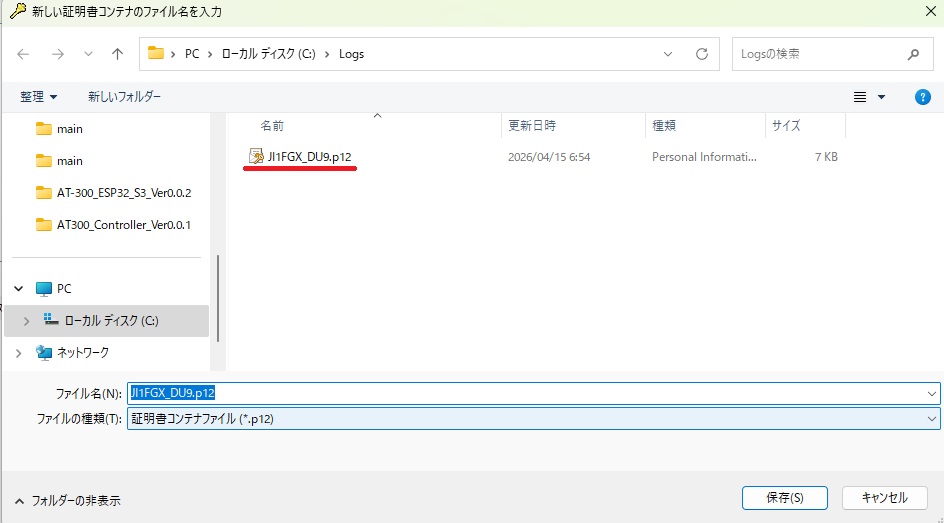 |
||||||||||||||||||||||||||||||||||||||||||
| You will be prompted to enter a passphrase when saving. This is the password you'll need to open 'JI1FGX_DU9.p12'. There's no need to make it unnecessarily difficult. 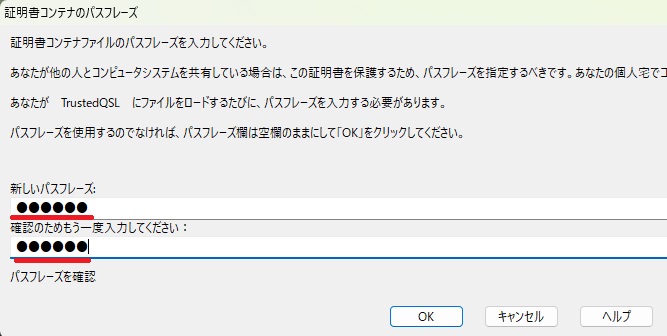 |
||||||||||||||||||||||||||||||||||||||||||
| next.Clublog.Open it and click on 'LoTW Sync' at the bottom. Select 'JI1FGX_DU9.p12', which you just created using 'Select File', and press 'Upload File'. 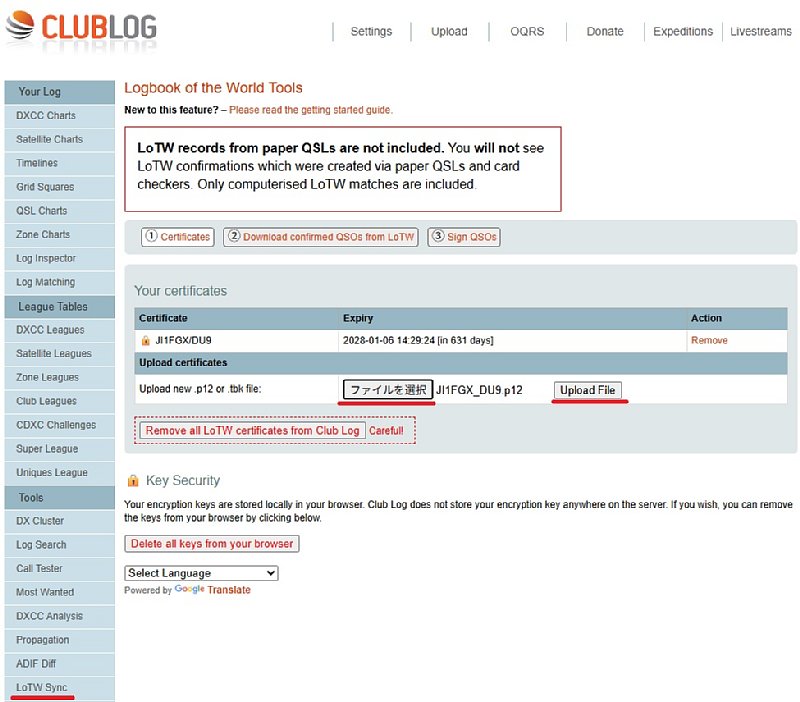 |
||||||||||||||||||||||||||||||||||||||||||
Enter the password you used when you created 'JI1FGX_DU9.p12' earlier.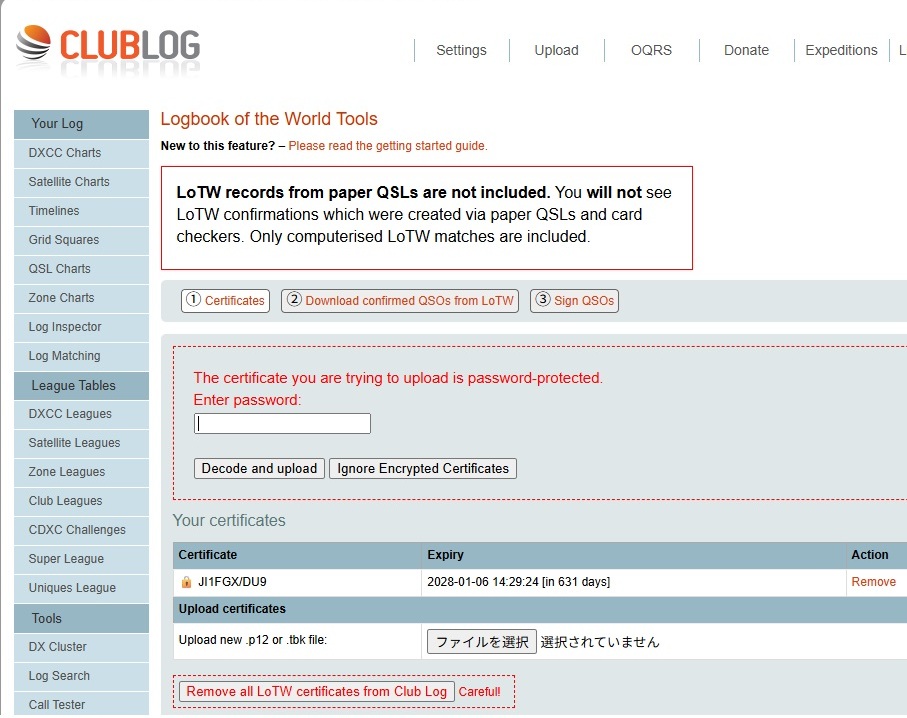 |
||||||||||||||||||||||||||||||||||||||||||
| Once the upload is complete, a key will be displayed. Save it as 'Save to File'. Press 'Download confirmed QSOs from LoTW' 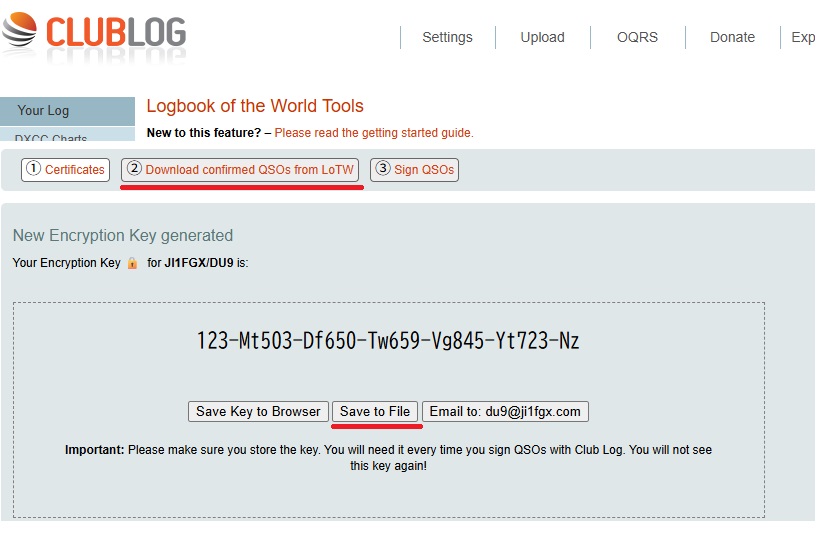 |
||||||||||||||||||||||||||||||||||||||||||
| Enter your ARRL LoTW username and password. Username is not email address https://lotw.arrl.org/lotw/login.Enter it as follows.Username.and.Password.It's Do. Finally, check 'Check to agree' and press 'Sync LoTW QSOs with Club Log'. I downloaded data for 55,000 QSOs, so the message "'It will take about an hour.'" appeared in English. 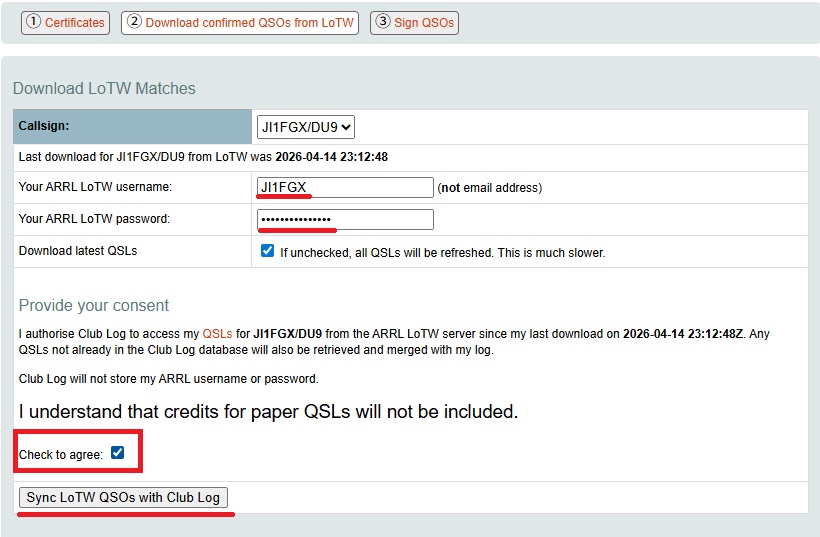 |
||||||||||||||||||||||||||||||||||||||||||
| Downloading 55,000 LoTW data entries took some time. 'Confirmed''Verified (Awarded)' is now displayed successfully. |
||||||||||||||||||||||||||||||||||||||||||
| I'm just four DXCCs away from 200. So I manually extracted the call sign that remained 'Worked'. YN2N.OQRS is not the only thing on Clublog. I'm worried about whether the QSL manager will upload the data to LoTW since payments are handled through their own website.
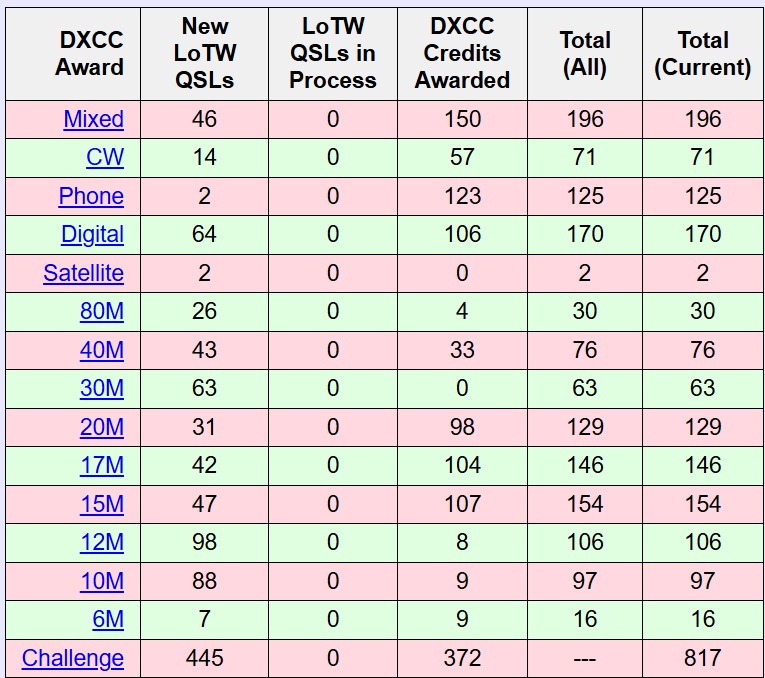 |
||||||||||||||||||||||||||||||||||||||||||
| Current status Five items are currently in a waiting state. 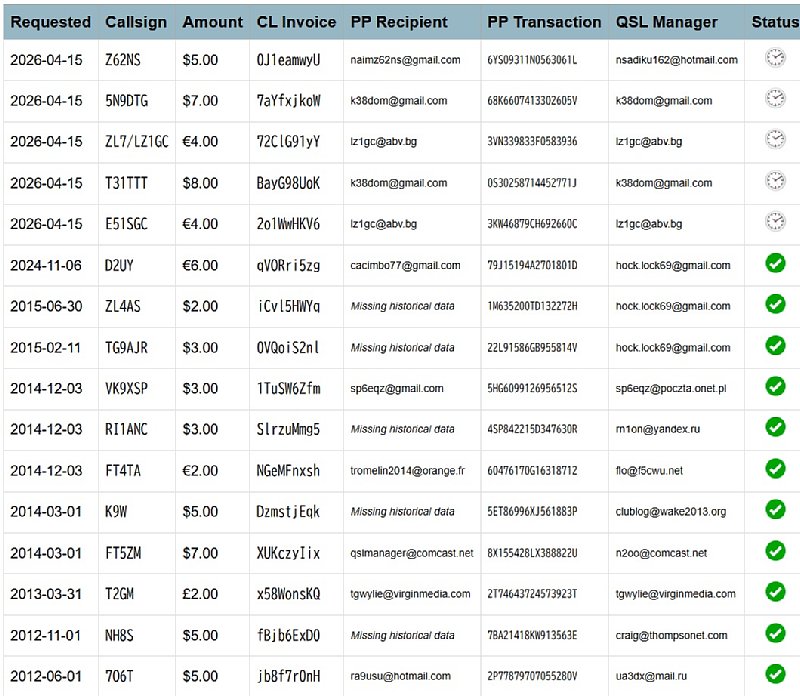 |
||||||||||||||||||||||||||||||||||||||||||
| April 10, 2026. April 19, 2026. | ||||||||||||||||||||||||||||||||||||||||||