I created the satellite tracking software 'Sattrack'.
I started making it in mid-January and it took about a month to take shape.
I stayed up all night three times in one month, and I got so absorbed in it that my wife told me to slow down.
Aiming for the SatPC32, the basic form was modeled after the SatPC32.
Only ICOM IC-820H radio is supported, IC-9700 is currently being tested
However, there are still some minor bugs and changes to the specifications,
so it will probably take a little while before it can be released.
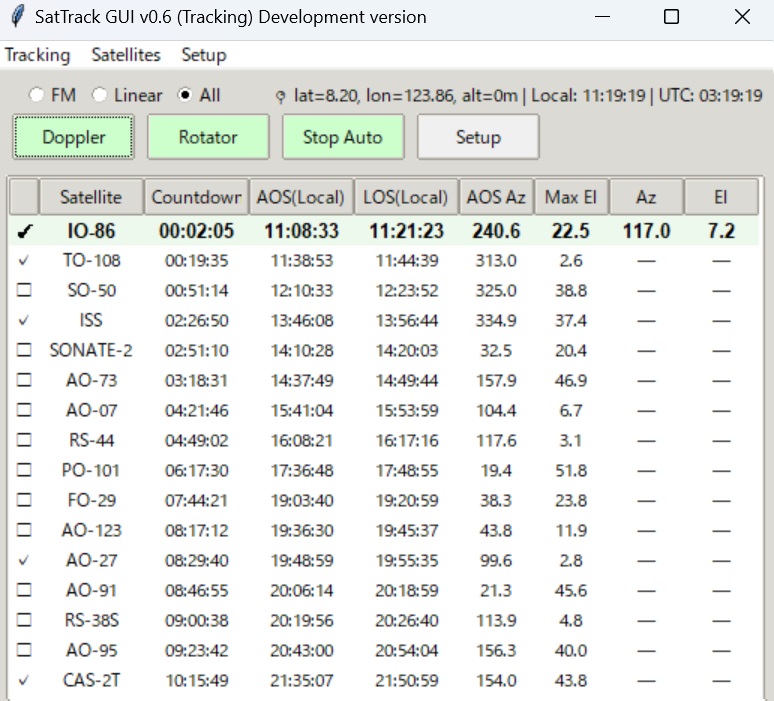
Satellite list and rotor control.
It has the function of tracking selected satellites in order.
It also has rotor control function.
Display is.
Satellite name
Countdown (time to AOS or LOS)
AOS time
LOS time
AOS direction
maximum elevation angle
Current direction
Current elevation angle
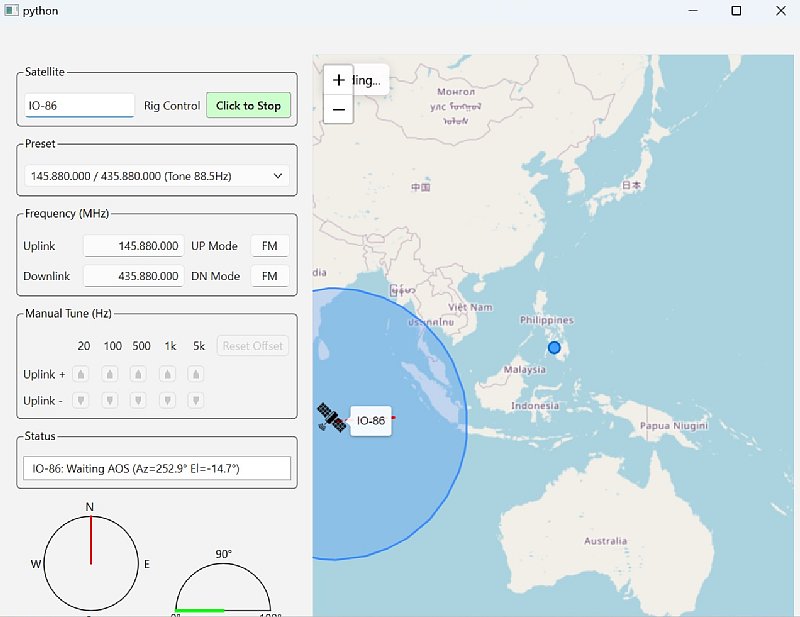
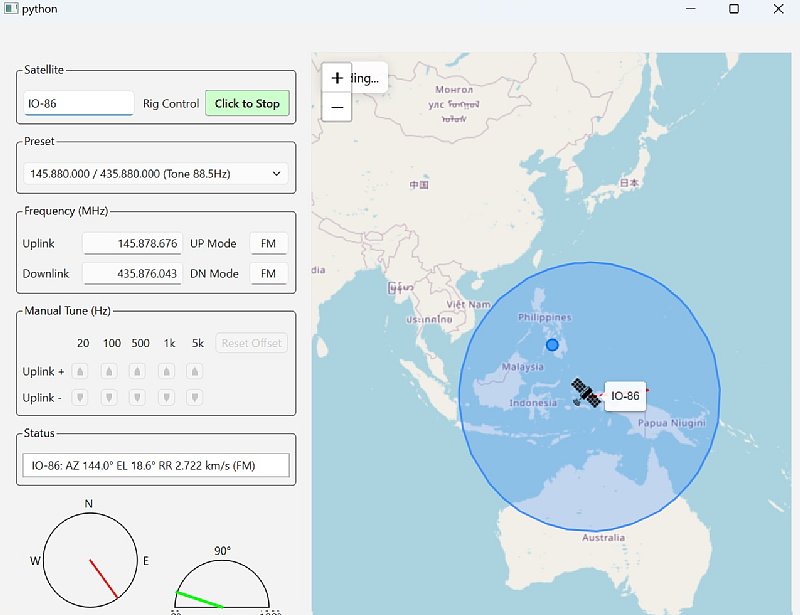
Doppler calculation and map display.
Satellite name Preset
You can select the frequency of that satellite from the presets.
Frequency (Doppler calculated frequency during AOS)
Display Mode from Preset
When using linear satellites, you can change the frequency.
The map will show the current satellite location
Feature details.
The frequency can be selected from the frequencies preset in the combbox.
The configuration file is
./settings.ini
./Sat_files/DOPPLER_SatTrack.sqf
./Kepler/Nasa.all
Frequency displays the current frequency including Doppler
Manual Tune allows you to change the frequency when using linear satellite (SSB/CW)
Status shows the current status of the satellite
Graphical display shows satellite azimuth and elevation
The Rig Control button allows you to stop controlling the radio and operate the VFO directly.
The satellites being tracked are displayed on the map