JTDX AutoRun + Remote Ver0.7.7
Windows software that assists with repetitive JTDX operations, including restarting transmissions and confirming QSO logs. Remote provides operating-status monitoring.
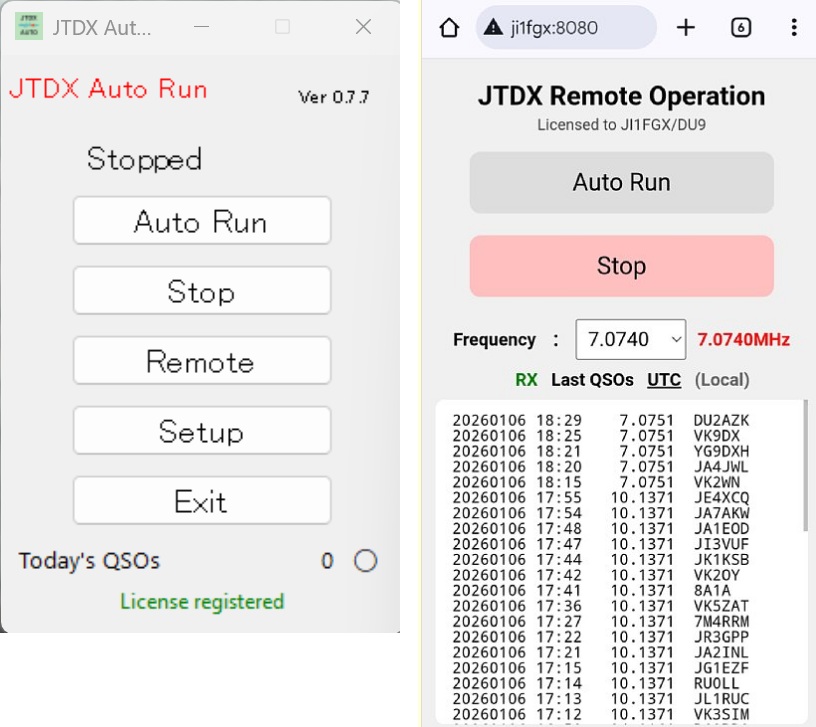
Overview
Supports JTDX 3.0.0-rc10. This is an operator-supervised assistance tool, not software intended for unattended operation.
Main features
Transmission restart assistance
Automatically re-enables transmission after a timeout to assist with repetitive on-screen operations.
QSO log confirmation
Automatically confirms the Log QSO dialog after RR73 to help record completed contacts.
Remote control
Start or stop assisted operation, change frequency, and view TX/RX status from a smartphone or another computer.
Recent log display
View the 50 most recent QSOs and switch log timestamps between UTC and local time.
Languages
The program supports Japanese, English, and German interfaces.
Configuration and status
Configure on-screen button coordinates and monitor the operating state.
Remote operation
Use a smartphone or PC to control and monitor operation. A VPN such as Tailscale can be used for access from outside your local network. The separate log_receiver program is required to display logs remotely.
Installation and setup
- Download and extract the ZIP package, then run the installer.
Install_JTDX_AutoRun.exe - Launch the radio application and configure button coordinates and required options in the setup utility.
- Save the settings, restart both programs, and test the operation.
- Configure log_receiver if remote log display is needed.
During reinstallation, do not overwrite settings.ini if you want to preserve your existing configuration.
Trial and license
| Item | Details |
|---|---|
| Trial period | 15 days |
| Japan | 550 JPY |
| International | USD 4 / PHP 240 |
| Package | AutoRun + Remote |
The same license can be used for both JTDX AutoRun and WSJT-X AutoRun.
License application
To continue using the software after the 15-day trial, apply for a license. Payment is accepted by PayPal or bank transfer. For bank transfer, indicate your preference in the application comments. A license key is normally emailed within one or two days after the application and payment are confirmed.
Apply for a licenseDownload and detailed instructions
Important operating restrictions
Related resources
Original article, downloads and manualsLicense application form
Operation depends on the target application version and screen layout. Test compatibility during the trial before purchasing.
Contact us