| English | Japanese |
|
|
Yesterdays access |
| Page Top | [Lily Diary.】 A diary of life in Mindanao. |
| 26/08/05 | IC-820H Receiver Sensitivity Test |
| 26/08/02 | Satellite SatBox Development in Progress - Part 2 |
| 26/07/16 | Delivery of the 3D printed panels |
| 26/07/09 | Development of SatBox for satellites |
| 26/07/05 | Weather Monitor Indoor Unit |
| 26/06/30 | Creating data for 3D printers using FreeCAD |
| 26/06/16 | Installing an AS5600 magnetic encoder on a KR-500. |
| 26/06/05 | Grandson Zion's CQ |
| 26/06/04 | Replacing the potentiometer on the KR-500 elevation rotator |
| 26/06/03 | Making a Repeater Controller Pert4 |
| 26/06/01 | Weather Monitor software |
| 26/05/31 | Weather Monitor |
| 26/05/21 | JTDX Auto Run BUGFIX |
| 26/05/17 | Repair of satellite antenna system |
| 26/05/13 | Repair of Alinco DR130 |
| 26/05/07 | Making a Repeater Controller Pert3 |
| 26/05/03 | Indonesian satellite friend YC8RPK |
| 26/04/26 | DXCC200 achieved |
| 26/04/23 | Communication via ISS voice repeater |
| 26/04/20 | WSJT-X Auto Run Ver0.1.5 |
| 26/04/19 | Got an Alinco DR-130 |
| 26/04/15 | Clublog Charts |
| 26/04/10 | Regarding POC transceivers |
| 26/04/08 | Using KENWOOD AT-300 with YAESU radio |
| 26/03/17 | How to establish a radio club in the Philippines |
| 26/03/10 | KENWOOD AT-300 with YAESU radio |
| 26/02/27 | Philippine NTC Amateur Radio License Examination Question Bank |
| 26/02/20 | Package received from JK1SNS |
| 26/02/18 | Temporary License Renewal |
| 26/02/14 | Satellite Tracking Software SatTrack |
| 26/02/05 | Making a Repeater Controller Pert2 |
| 26/02/02 | CQ on satellite IO-86 |
| 26/01/27 | Shack & Repeater Controller |
| 26/01/16 | Making a Repeater Controller |
| 26/01/16 | Making aRotator Interface PCB |
| 26/01/10 | Satellite antenna installation |
| 26/01/08 | WSJT-X Remote Operation |
| 26/01/07 | JTDX Remote Operation |
| 26/01/04 | log_reciver_Ver2.6.6 |
| 26/01/04 | Tailscale VPN software for JTDX_Remote |
| Online Multiple Choice Reviewers to the Phil Amateur Radio Examination by 4F3EW A joint project by JI1FGX/DU9 and DV9JRD |
| Antenna Rotator Interface PCB Fabrication (2026/01/16) | ||
|---|---|---|
| At the 224th PRUG meeting (online), the topic of circuit diagrams and PCBs came up, so I decided to give KiCAD a try. I didn't know how to use KiCAD, so I was taught step by step by CatCPT, and in two days I was able to draw two circuit diagrams and turn them into patterns. 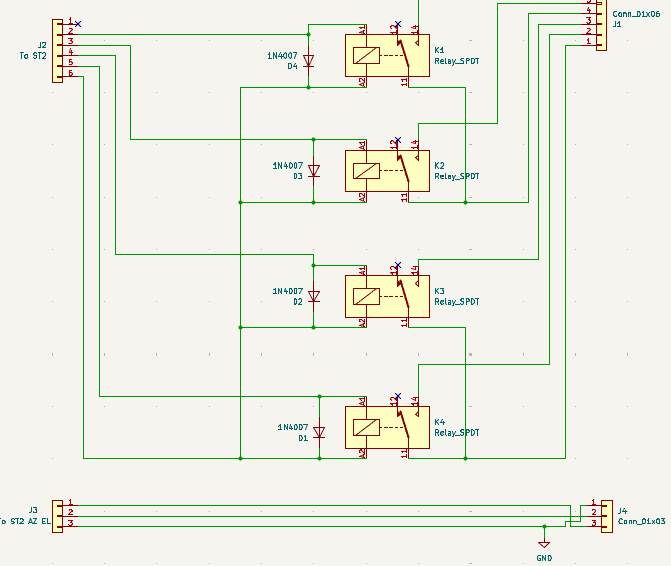 |
||
| It was made using this Janome board.Relay interface.I re-drawn the circuit diagram in KiCAD and created the board pattern. The relays are SRA-05VCD-CL, with four of them lined up. 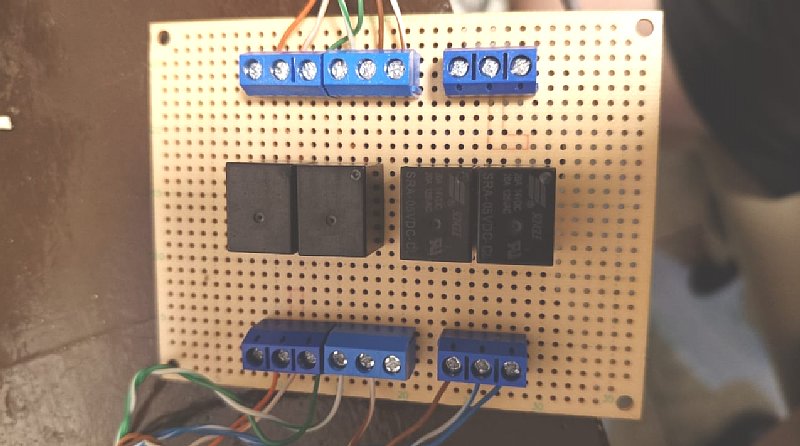 |
||
When wiring by hand, the patterns overlap.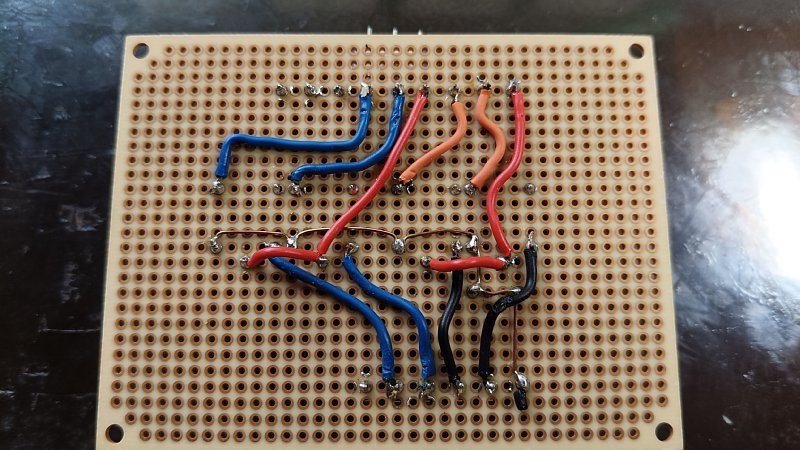 |
||
| At first I placed the relay next to it and then drew the pattern, but there were two places where the patterns intersected and I couldn't wire it. So I arranged the relays vertically and it was surprisingly easy to arrange the patterns. Even so, the process of drawing patterns from this circuit diagram is like playing a maze game and makes my head spin. As a 66-year-old, I think this work is good for preventing dementia. Once the pattern is created, run DRC on 'tool'-'Design Rule Checker' to check that there are no errors. Finally, create plot and drill files using 'file'-'manufacturing output'-'Carver' This is a Chinese circuit board manufacturerJLCPCB.I uploaded it to the website and got a quote, which was $2 for five 100mm x 100mm single-sided boards. 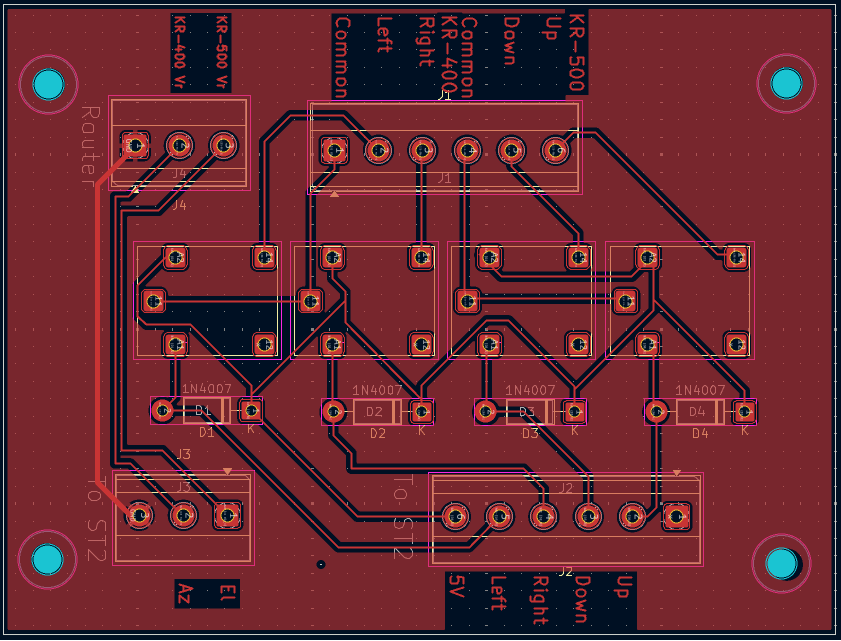 |
||
| January 10, 2026. January 16, 2026. |